A parallel dialer for B2B prospecting agencies.
Sales reps call several prospects at once, and only the one who picks up is passed to them. The tool covers the whole journey, from importing the list to booking the meeting and updating the CRM, with AI during and after every call.
Who uses it
The sales rep
Calls, runs the conversation with help from the AI coach, and books meetings.
The agency administrator
Manages the team, the agency's clients, phone numbers and the subscription.
The agency's client
Has read-only access to its own calls, meetings and results.
- calls placed at once, at most
- 5
- screens
- 38
- API routes
- 207
- third-party services connected
- 16
Answering-machine detection trained in under 24 hours
When an answering machine picks up, the tool must hang up on its own; when a person does, they must hear the sales rep right away. With Swoft AI Studio we trained our own model on more than 4,000 recorded calls, and it was in production the next morning.
Video in French.
- to decide on average, against 3 to 4 s at Twilio
- 0.8 s
- of people mistaken for a machine
- < 1%
- answering machines hung up before the rep hears them
- 3 in 4
What the tool lets each user do
10 functional areas, delivered and in production.
Prospect lists and follow-ups
Prepare and organise who to call.
- Import a list from a CSV or Excel file, using a template
- Track follow-ups that are overdue, due today, tomorrow or this week
- Exclude numbers with a block list
Parallel dialing
Chain calls without waiting.
- Place 1 to 5 calls at once
- Cap the number of attempts per prospect and per period
- Choose the caller ID, by hand or in rotation
Answering-machine detection
Only pass real people to the sales rep.
- Hang up automatically when an answering machine is recognised
- Decide from the audio, with the model trained in Swoft AI Studio
- Drop a pre-recorded or text-to-speech voicemail
Live call screen
Run the conversation.
- Read the call transcript in real time
- Show the script and the dial pad
- Record the call and replay it from the history
Sales AI
Help during and after the call.
- Get buying signals and objection answers during the call
- Get a summary, the tone of the exchange and next steps after the call
- Draft the follow-up e-mail, and practise against a simulated prospect
- Analyse objections by type and by sales rep
Meetings and calendars
Turn the call into a meeting.
- Offer free slots and create the event in Google Calendar
- Record a meeting booked through Calendly
- Schedule e-mail reminders to prevent no-shows
CRM and messaging
Keep the CRM up to date without re-typing.
- Import HubSpot lists and send meeting outcomes back
- Track deals in a built-in pipeline, from discovery to signature
- Send e-mails from Gmail or Outlook, and text messages
Inbound calls
Never miss a call back.
- Ring every connected sales rep: the first to pick up takes the call
- Take a voicemail when nobody answers
Reporting
Measure and motivate.
- Track list completion, productivity and the best hours to call
- Export the history as CSV and a client report as PDF
- Engage the team with points, a leaderboard and missions
Agency administration
Manage the team, numbers and subscription.
- Invite members and give them a role
- Assign sales reps to the agency's clients
- Get French numbers in one click, or bring your own number
- Subscribe to a plan and follow usage
Screens
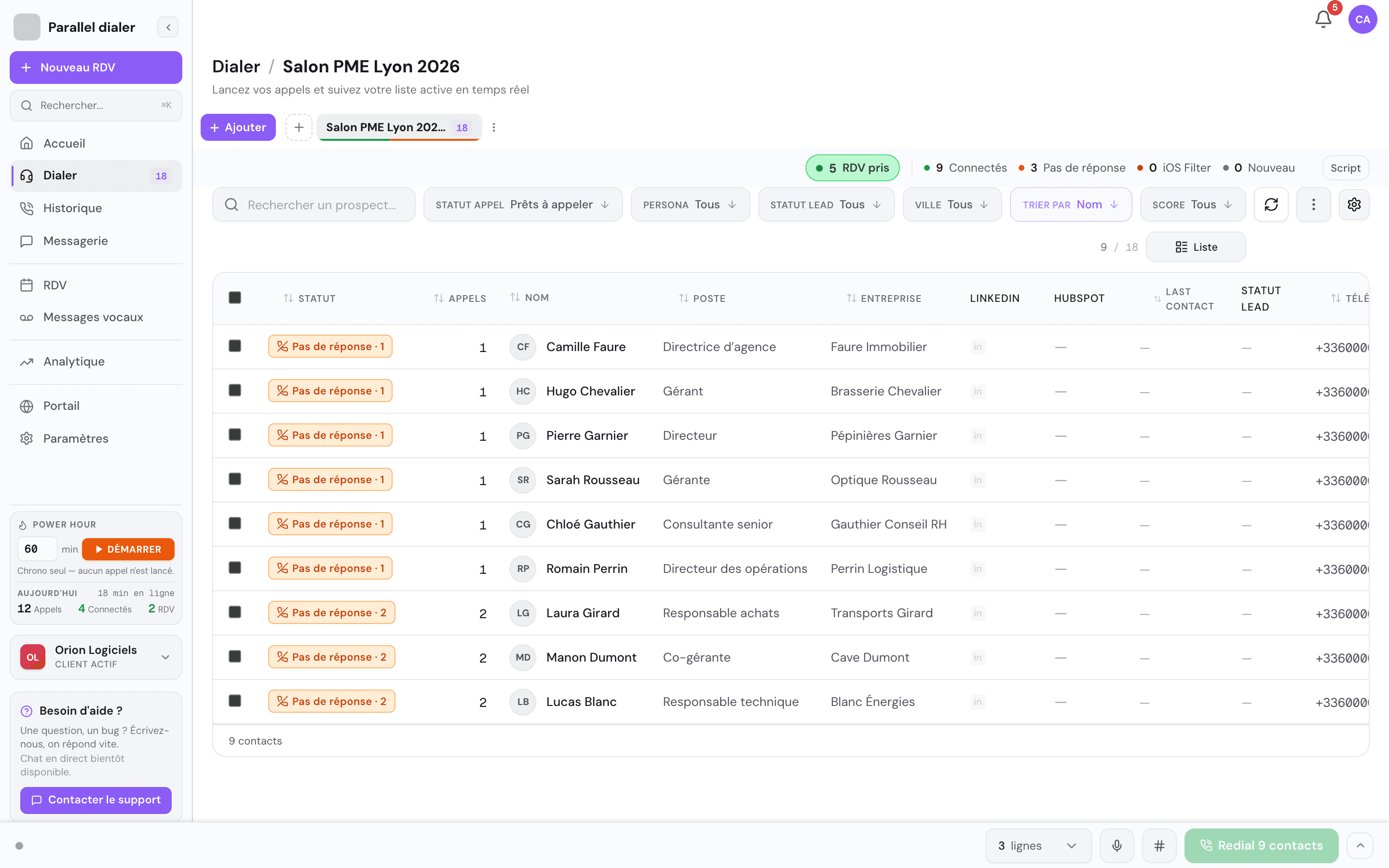
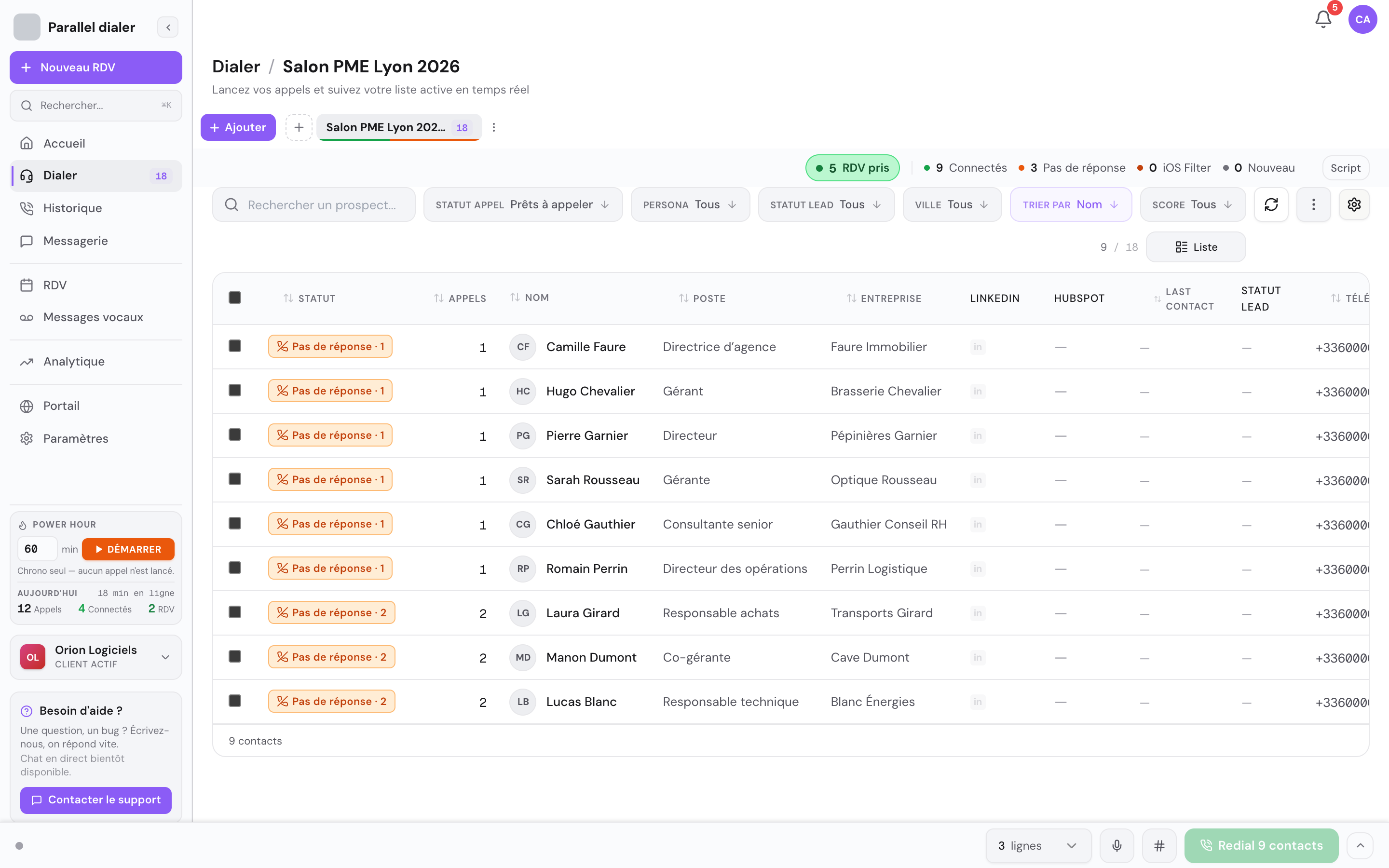
Today's list, ready to call on 3 lines at once. 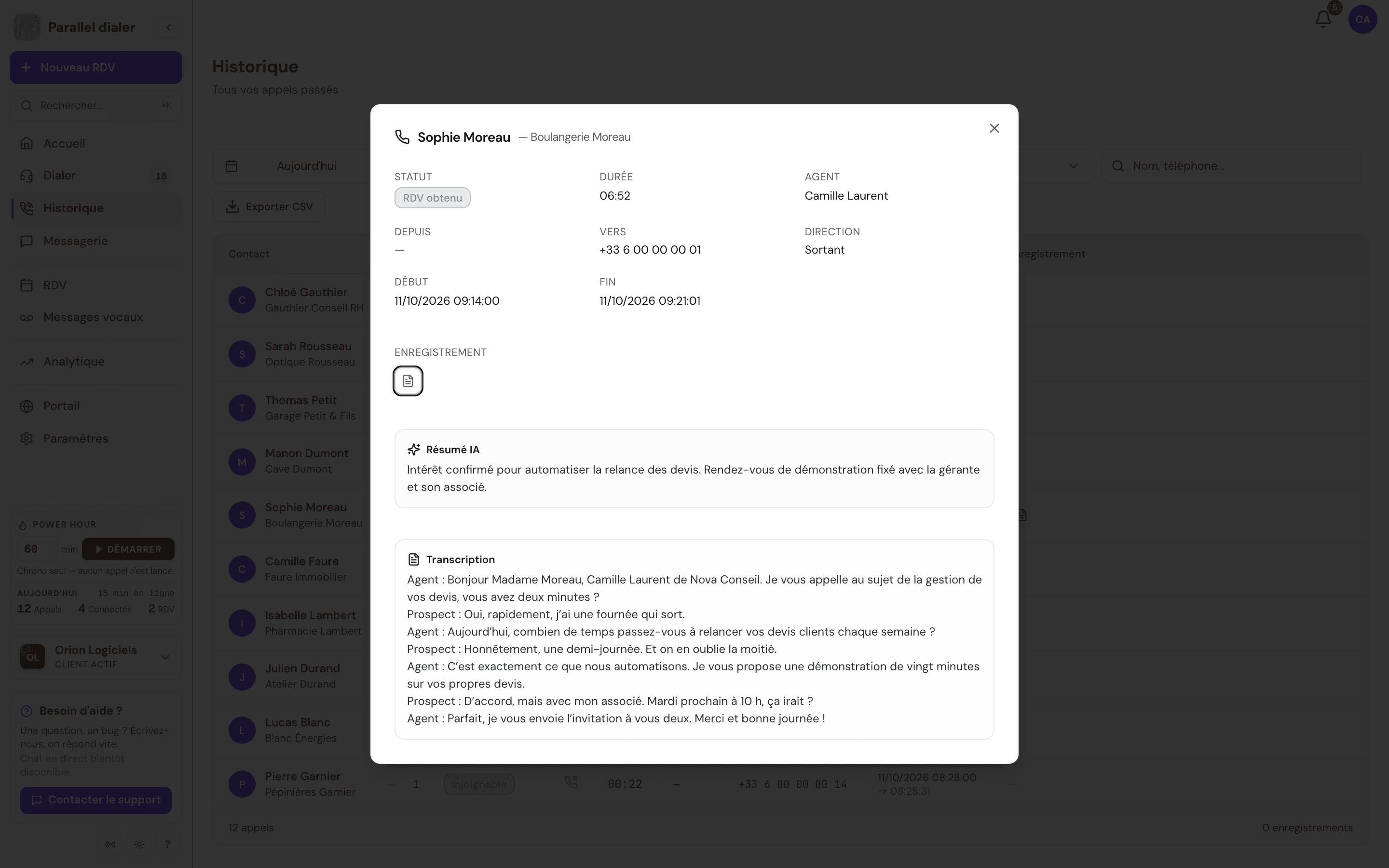
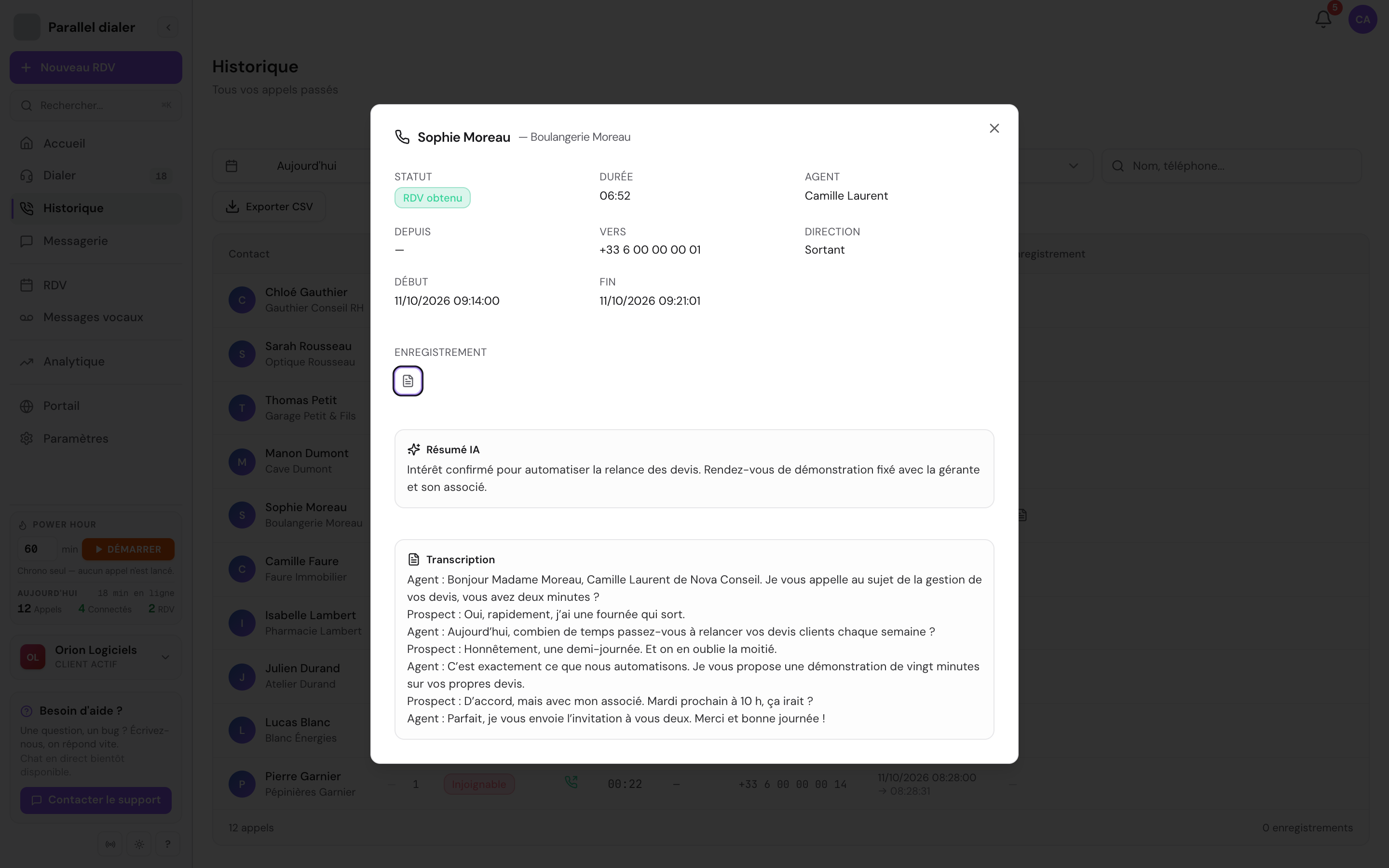
After the call: the AI-written summary and the transcript. 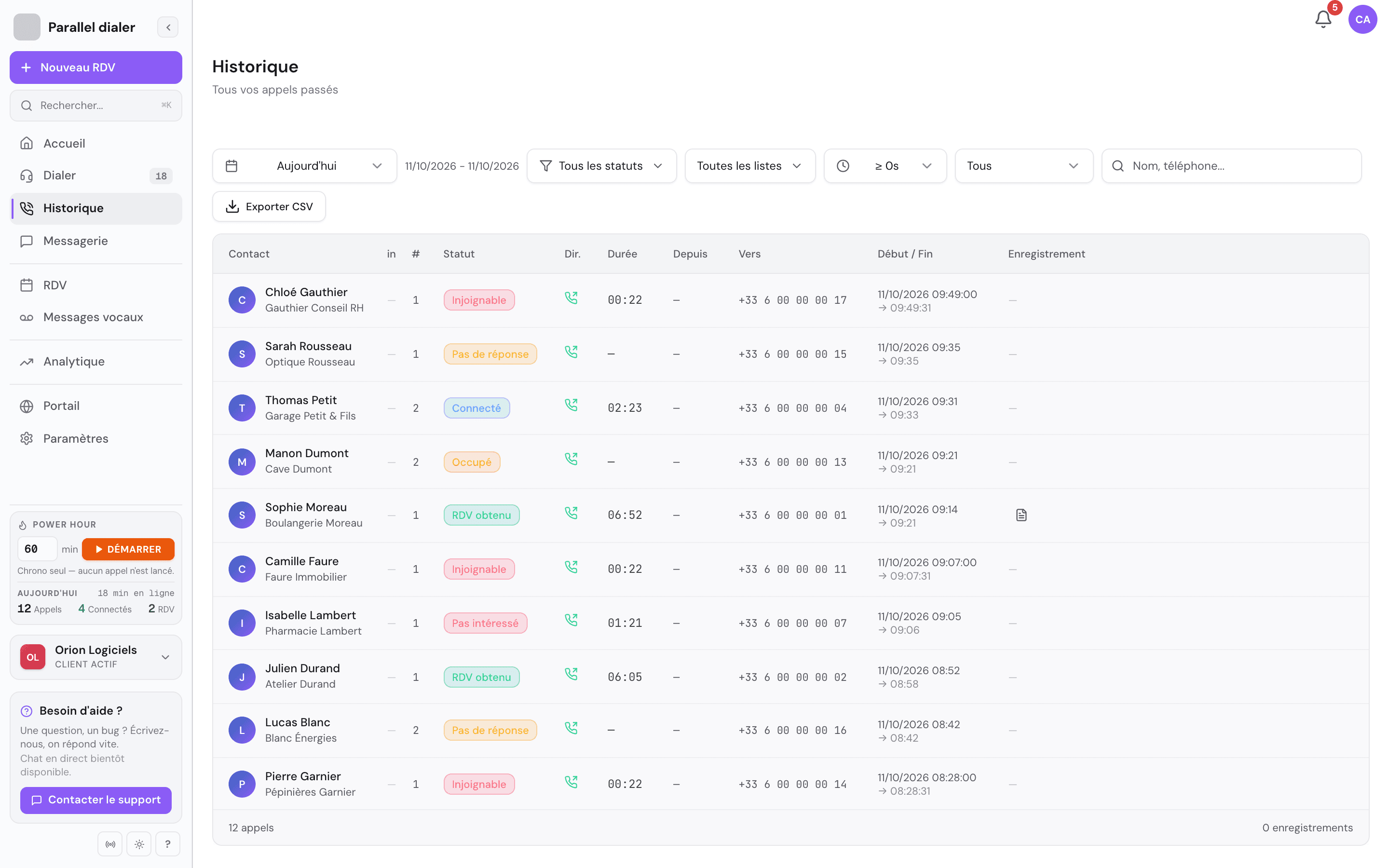
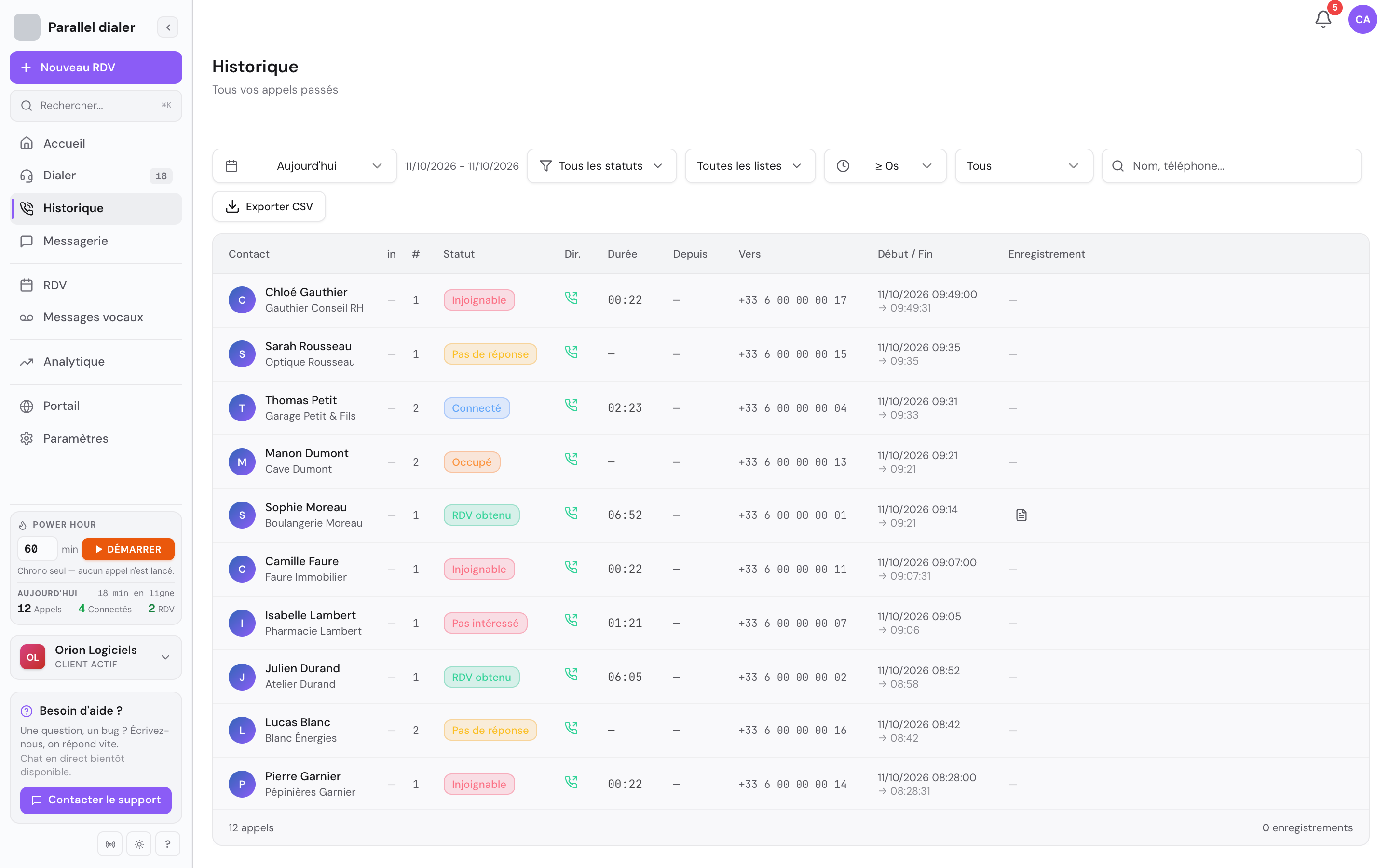
Today's history, call by call, with its outcome. 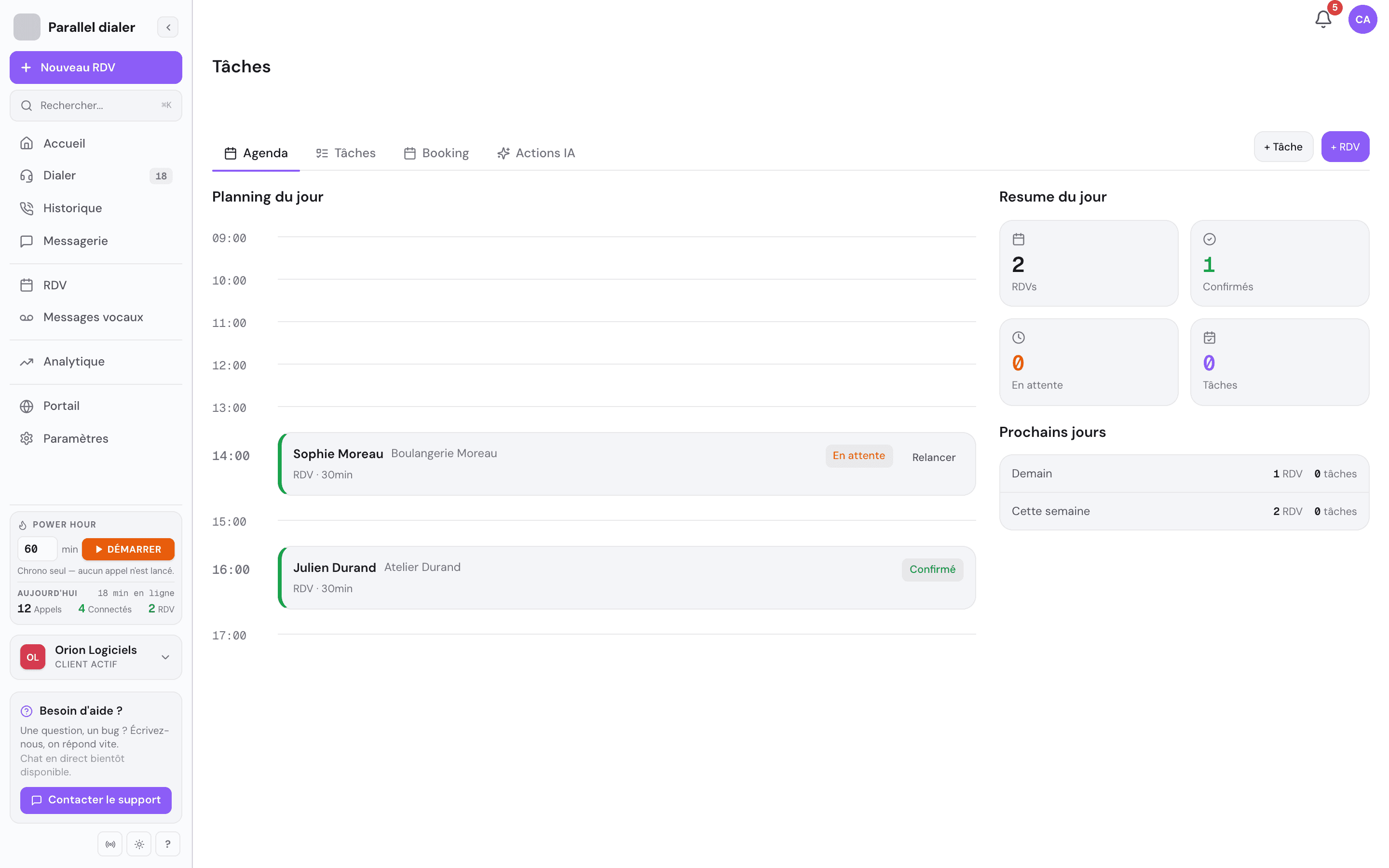
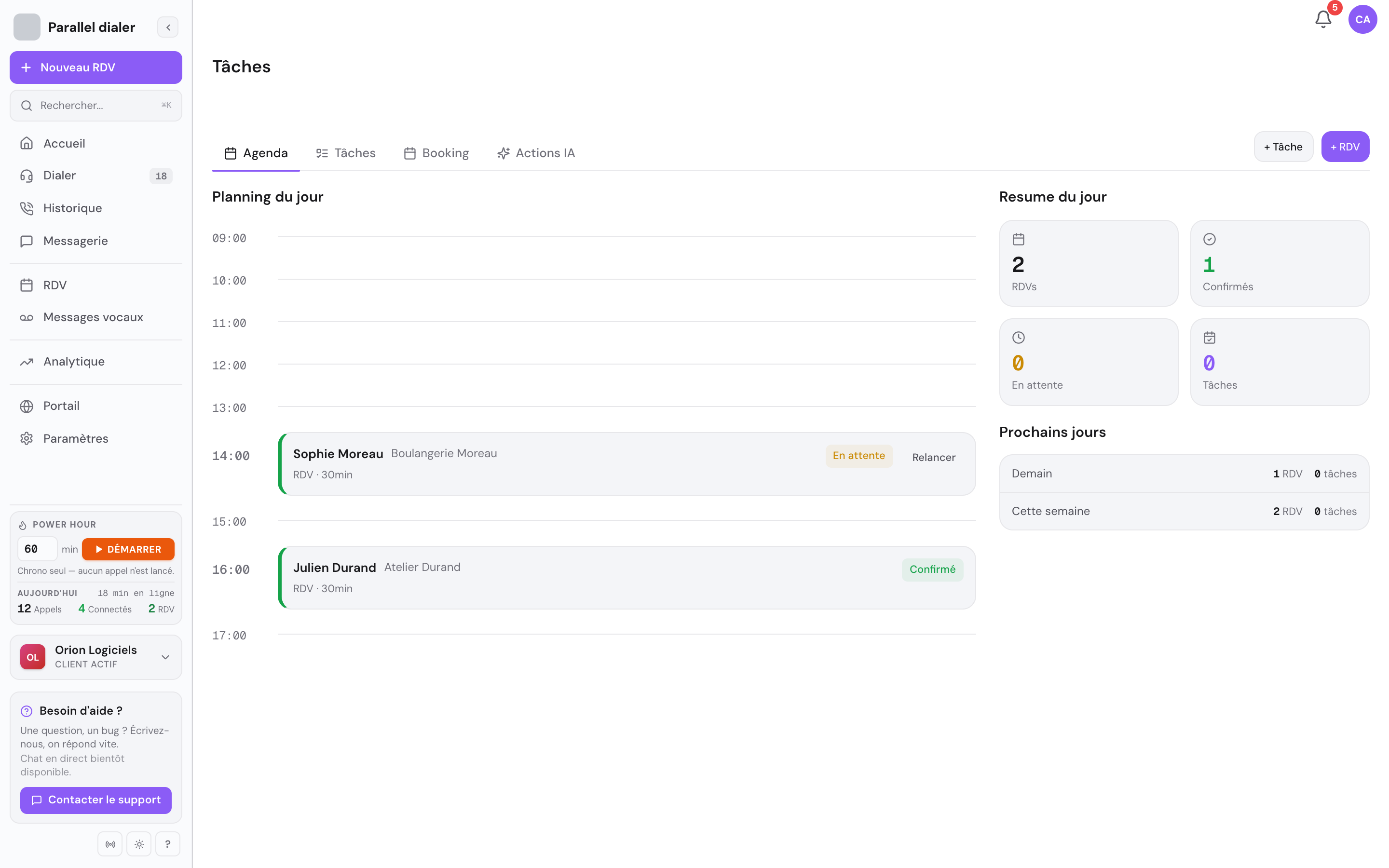
Meetings booked on the phone, in today's calendar. 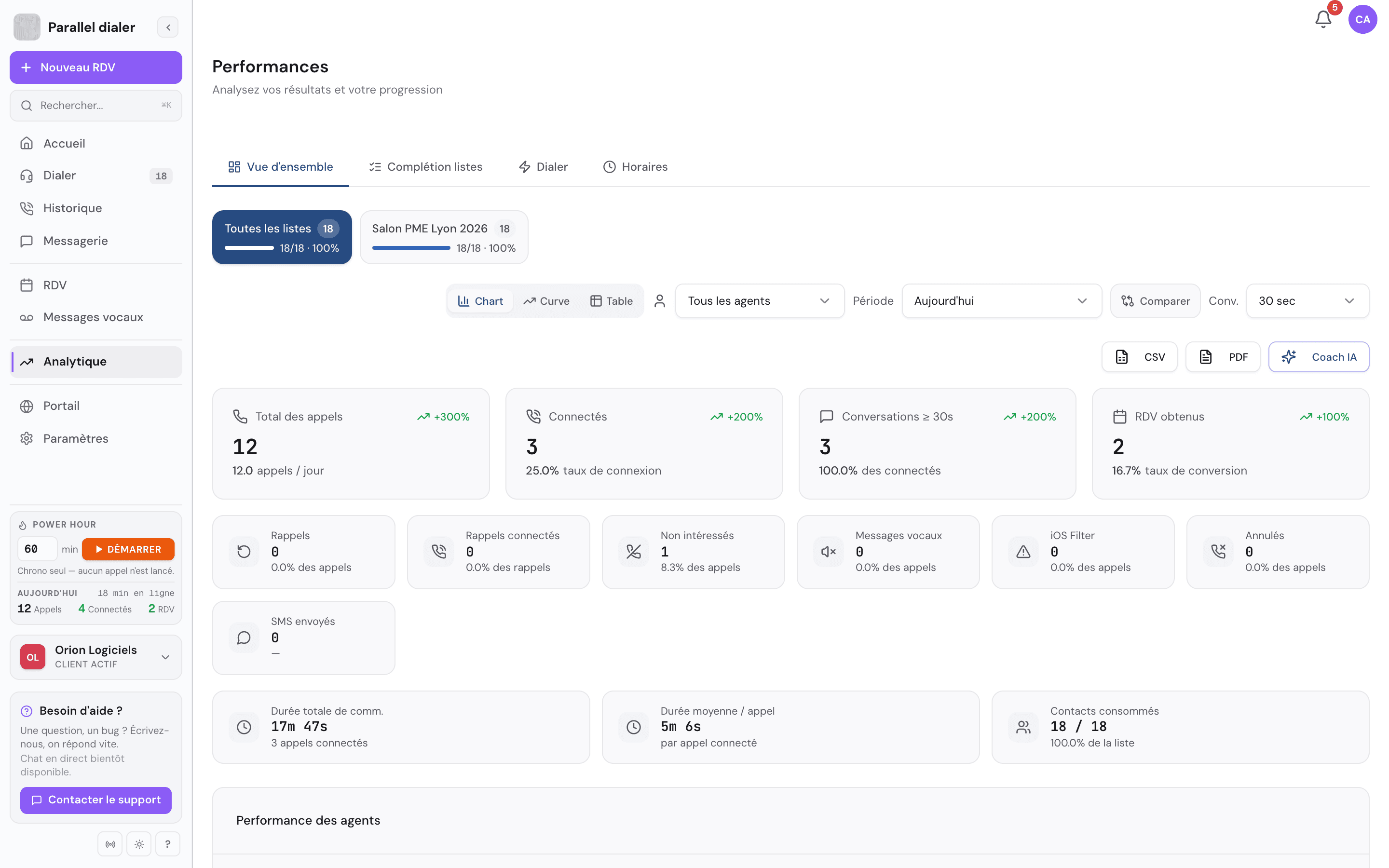
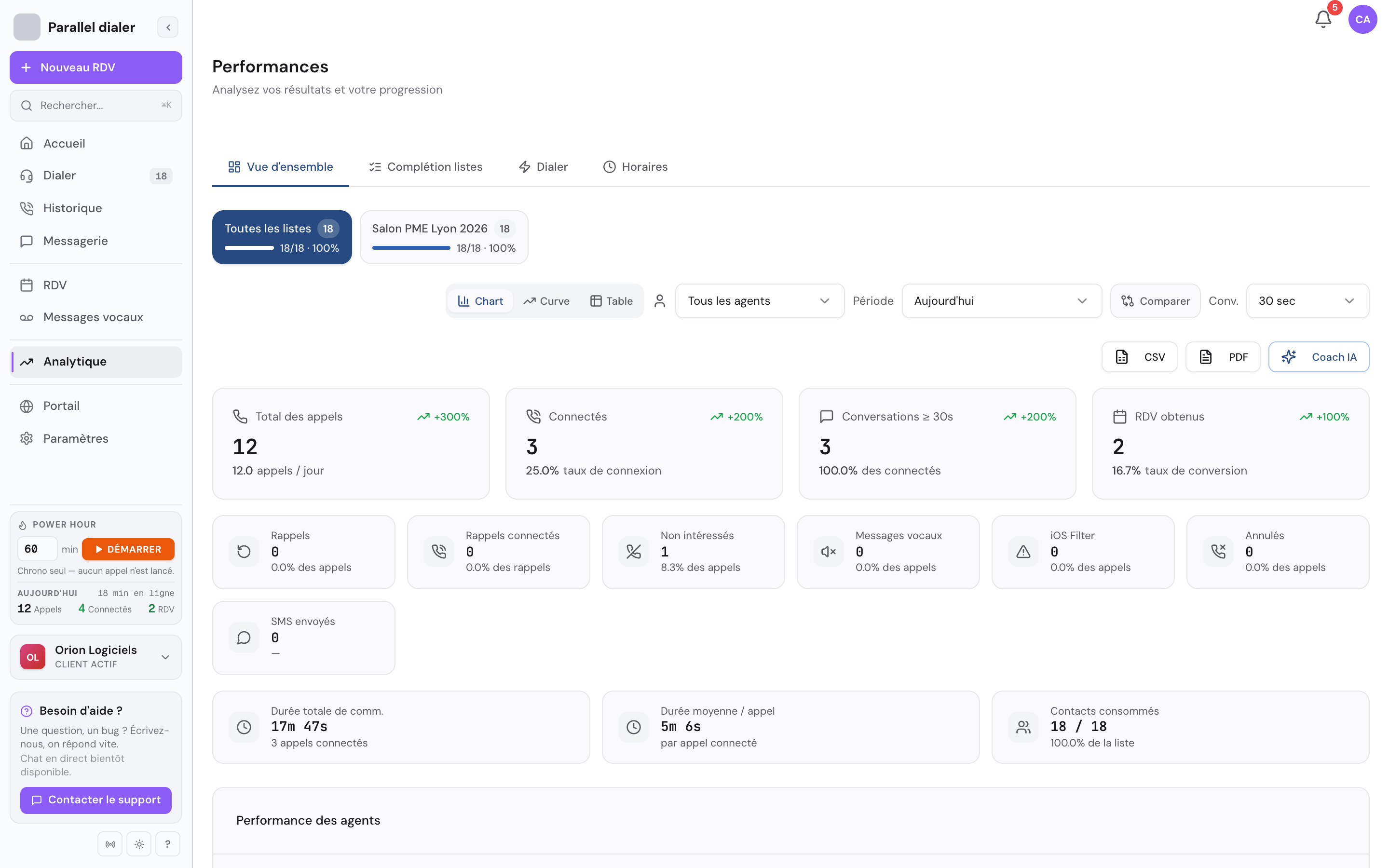
Today's results: calls, connection rate, meetings. 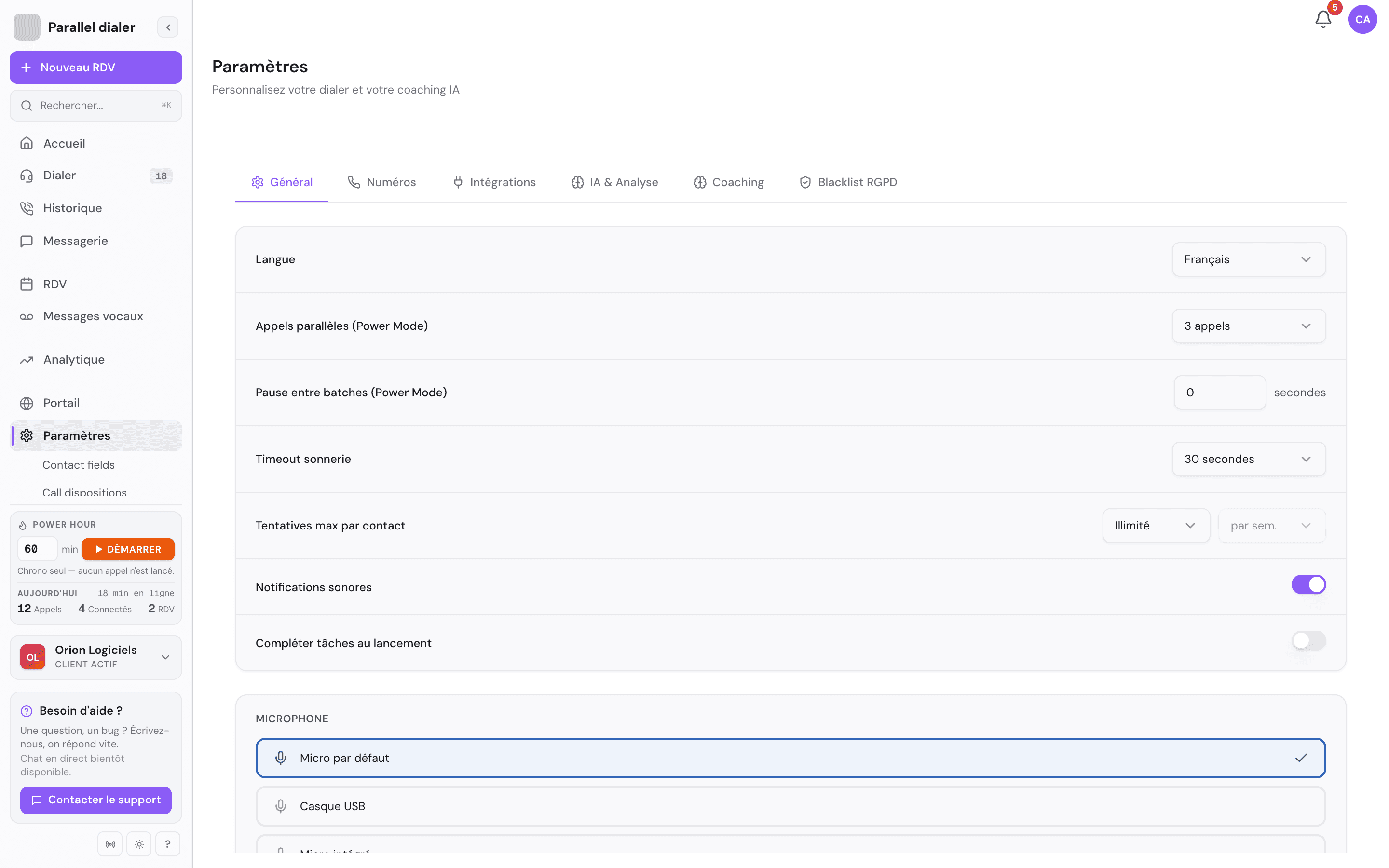
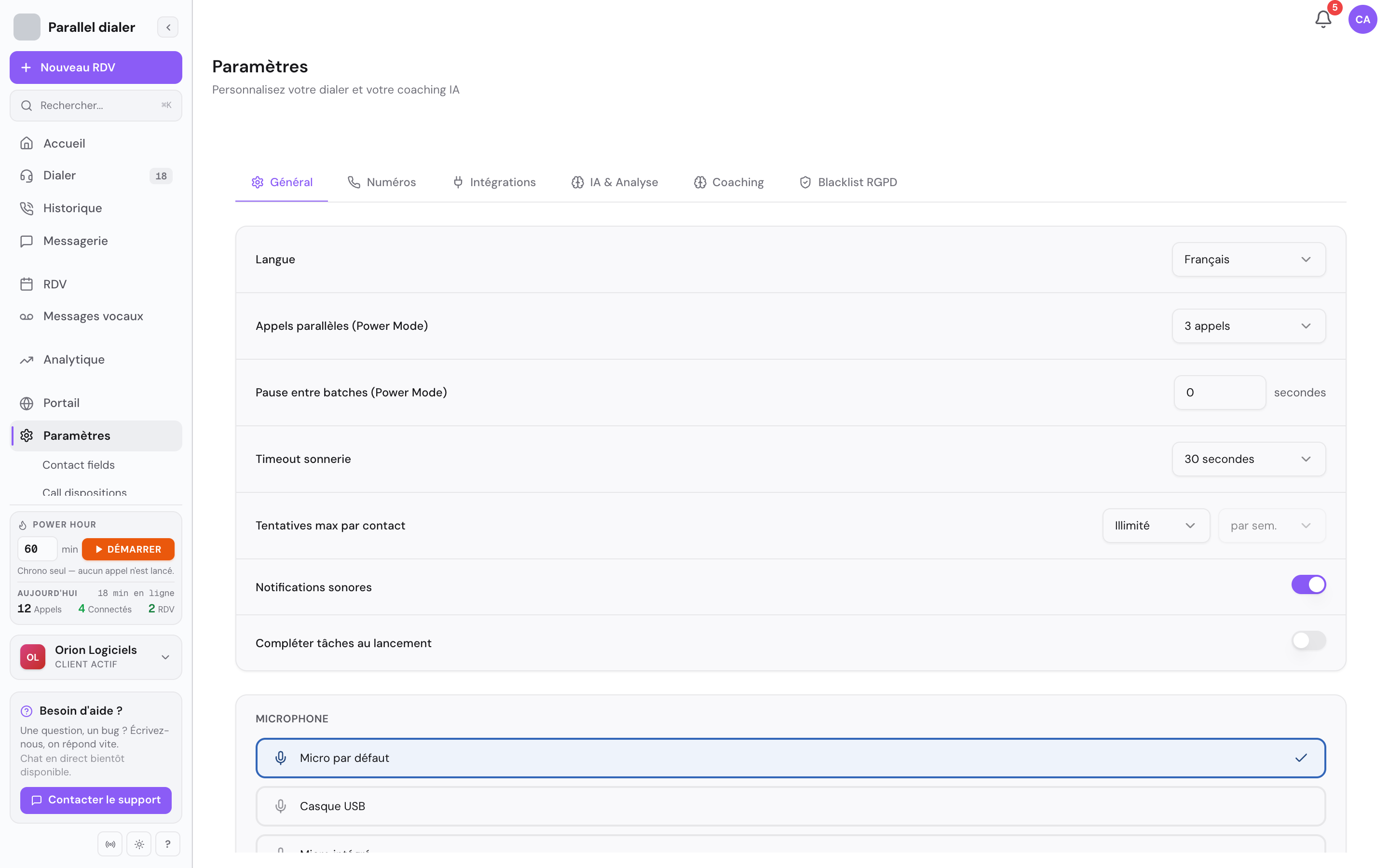
The parallel mode settings.
Connected services
- Twilio
- OpenAI
- Anthropic Claude
- HubSpot
- Google Agenda
- Calendly
- Gmail
- Outlook
- Stripe
- Swoft AI Studio
A similar project?
Let's talk about it.
You describe your need. We tell you honestly whether we can deliver, what it costs, and how long it takes.